Review Comments (4) Screenshots (3) Questions & Answers (0) Votes (4) Awards (2) Wiki  
(4)
www.microsoft.com
Freeware
162 people

The program is unavailable for downloading: only comes in bundle with other software.

 
The program has been reported to be unavailable on a regular basis.
This implies that we are unable to provide universally applicable download links, relevant version information, or any further updates.


Review

The Microsoft Snipping Tool is a reviewer's best friend. This is a little application that might go unnoticed, but I am telling you; it is a time-saver. This tool allows you to carry out a simple task: take screenshots of your screen. I know there is a button that reads something like Prt Scr in your keyboard and that it will take a screenshot of your screen and take it to the clipboard. There is something better than that. When you activate the Snipping Tool, you can select a part of your screen with your mouse and it will be captured. That capture can either go to the clipboard or to a file. You can even select what type of file you want it to be saved to. I have to get screenshots of applications all the time, and pasting a screen capture into a graphics editor and then cropping it, all it takes me about a minute. I can do the same work in less than 2 seconds. Snipping Tool makes me more productive and that is always good. Microsoft Snipping Tools is a free application that comes with Windows Vista. If you don't have Windows Vista, you can get it if you have XP. The only way this application is distributed other than with Vista is with an Experience Pack for Windows XP, which I am linking here.
  • Comes built-in in Windows Vista.
  • It allows you to take screenshots easily.
  • Many different options.
  • You have to download it on a separate package if you don't have Vista.

Reviewer rating:

Reviewed: 3 years ago

Report a wrong version Report a wrong program title Suggest a correction

Screenshots

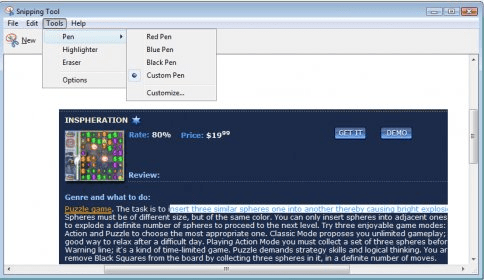
Tools Tools Options Options General view General view

Latest comments

Jay Stratemeyer(beginner) Last year 
— xp snipping tool on codeplex
Pros: works on most any windows, open source, easy to use, crop, resize, multiple monitor support
Cons: very basic
Comment: you can check out my free app on codeplex called windows xp snipping tool. its free with source code!
Reply
scott(beginner) Last year 
— INSTALLS ONLY ON XP 2005 FOR TABLET PC
Pros: nice if i could have used it on my xp desktop
Cons: INSTALLS ONLY ON XP 2005 FOR TABLET PC
Comment: INSTALLS ONLY ON XP 2005 FOR TABLET PC
Reply
timpar3(beginner) Last year 
Another program that utilizies the same exact thing but you can take it mobile on a USB drive is MWSNAP. It does the same exact thing but is a third party program.
Reply
Add new comment All 4 comments

E-mail Address:

Password:

Register now »

Forgot password?

Sign in with:
Facebook Account
Download Software Informer Client
Copyright © 2012, Informer Technologies, Inc. About| Terms & Privacy| FAQ| Feedback & Support| For Developers

